Check Scanner & MICR Reader3.6.3
Publisher Description
APP FOR DEVELOPERS – see note below.
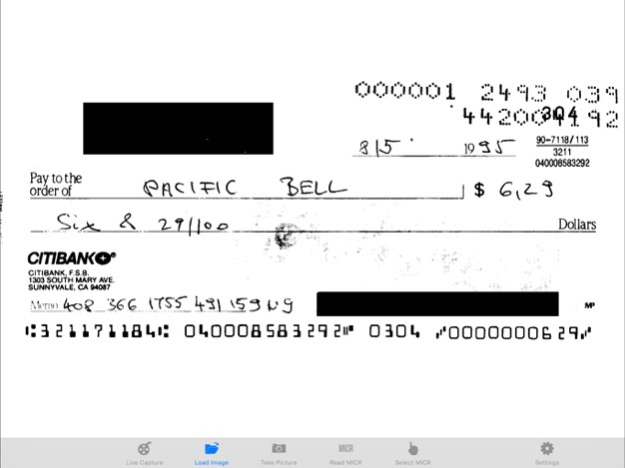
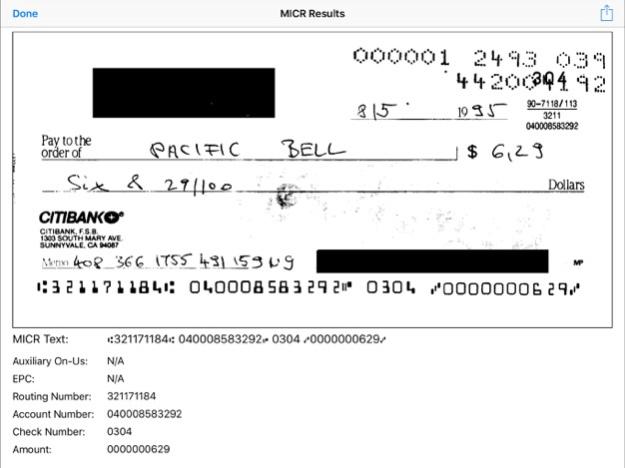
The LEADTOOLS Check Scanner performs super-fast and accurate MICR (Magnetic Ink Character Recognition) on checks and images, automatically detects and extracts MICR E-13B text, and shows the extracted MICR line fields for the read MICR code.
This application can do the following:
• Recognize MICR codes from images/checks using live capture from your camera
• Recognize MICR codes from still frame images from your camera
• Recognize MICR codes from images in the gallery
• Show the part of the original image that contains the MICR code area and the extracted MICR code fields such as: Transit, Amount, On-Us, Account number, EPC and Routing
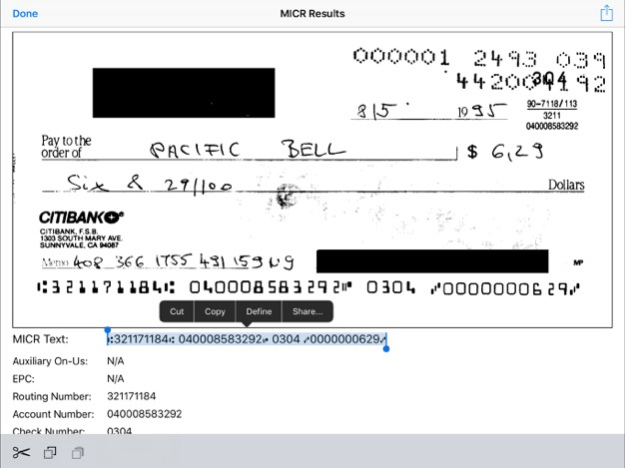
• Select, highlight, copy and paste the text, as well as the full MICR string
• Export recognized images to your photo library, send via email, or to any installed applications that support PNGs.
NOTE: This is one of the applications that is provided with source code in LEADTOOLS, the award-winning SDK for programmers. Powered by patented machine learning algorithms, this application is built using the LEADTOOLS OCR engine. This app is intended to show developers some of the many capabilities that they can integrate into their own applications using LEADTOOLS. For more information or to download a free evaluation SDK of our full toolkit, including the source code for this app, visit: https://www.leadtools.com/sdk/ocr/micr
We love your feedback! Please feel free to share it with us anytime at: comments@leadtools.com
Oct 3, 2021
Version 3.6.3
- Updated to use the new LEADTOOLS v22
About Check Scanner & MICR Reader
The company that develops Check Scanner & MICR Reader is LEAD Technologies, Inc.. The latest version released by its developer is 3.6.3.
To install Check Scanner & MICR Reader on your iOS device, just click the green Continue To App button above to start the installation process. The app is listed on our website since 2021-10-03 and was downloaded 242 times. We have already checked if the download link is safe, however for your own protection we recommend that you scan the downloaded app with your antivirus. Your antivirus may detect the Check Scanner & MICR Reader as malware if the download link is broken.
How to install Check Scanner & MICR Reader on your iOS device:
- Click on the Continue To App button on our website. This will redirect you to the App Store.
- Once the Check Scanner & MICR Reader is shown in the iTunes listing of your iOS device, you can start its download and installation. Tap on the GET button to the right of the app to start downloading it.
- If you are not logged-in the iOS appstore app, you'll be prompted for your your Apple ID and/or password.
- After Check Scanner & MICR Reader is downloaded, you'll see an INSTALL button to the right. Tap on it to start the actual installation of the iOS app.
- Once installation is finished you can tap on the OPEN button to start it. Its icon will also be added to your device home screen.
Program Details
System requirements
Download information
Pricing
Version History
version 3.6.3
posted on 2021-10-03
Oct 3, 2021 Version 3.6.3
- Updated to use the new LEADTOOLS v22
version 3.6.2
posted on 2020-09-14
Sep 14, 2020 Version 3.6.2
Upgraded to use LEADTOOLS Version 21
Speed and accuracy optimizations
version 3.6.1
posted on 2019-11-20
Nov 20, 2019 Version 3.6.1
Increased check recognition speeds and other minor enhancements
version 3.01
posted on 2013-12-13
version 3.6.1
posted on 1970-01-01
2019年11月20日 Version 3.6.1
Increased check recognition speeds and other minor enhancements
